How do I export my leads?
Last updated: April 7, 2026
Leads can be exported as a spreadsheet directly from the web portal. You must be logged in as a Primary or Admin user.
Log in to the web portal as a Primary or Admin user.
Navigate to the Leads page from the left sidebar.
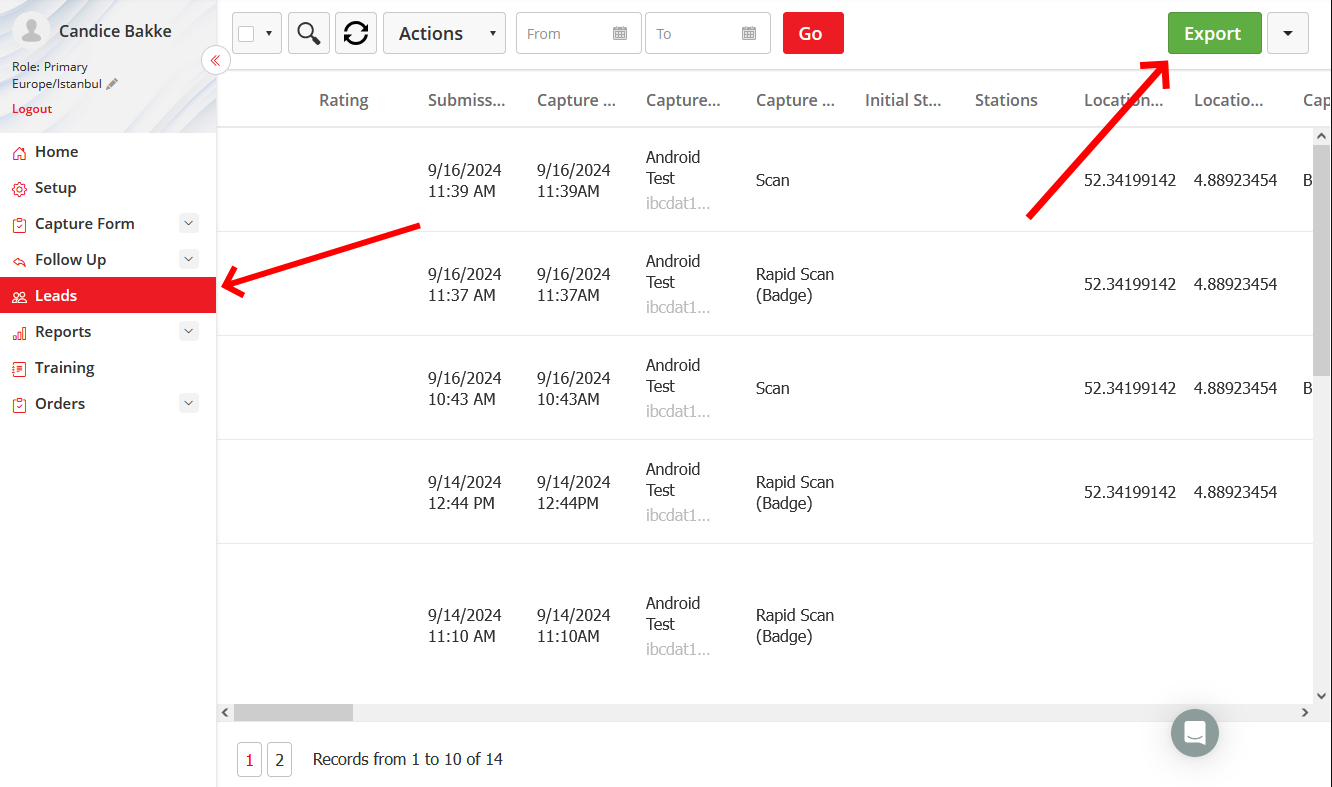
Click the Export button in the top-right corner.
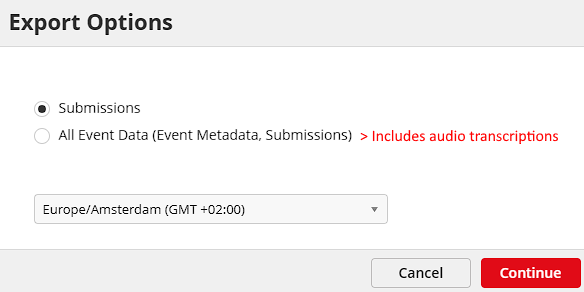
Choose your export type: Submissions (captured lead data only) or All Event Data (includes event name, date, and ID). Click Continue and your spreadsheet will download automatically.
Note
The Leads tab only appears if the event organizer has enabled it for your exhibitor group. Exporting is done through the web app by default — mobile export requires organizer approval.