How do I submit a draft submission?
Last updated: April 7, 2026
Draft submissions are leads that were started but not yet finalized. You can locate and submit them from the Captello mobile app.
Open the Captello mobile app and go to your leads list.
Find the lead marked as a draft — these are leads saved but not yet submitted.
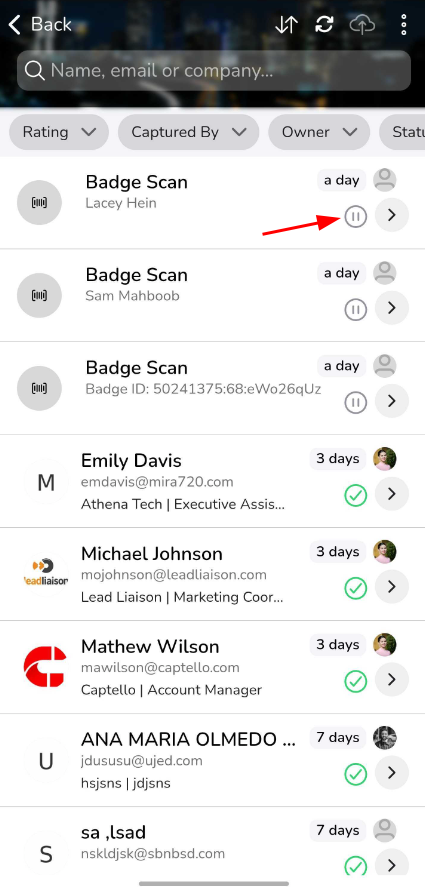
Tap the draft to open it and review the form. Fill in any required fields if prompted.
Tap Submit to finalize the lead. It will appear on the Leads page in the web portal.
Note
The Scan Report (under Reports) tracks all badge scans including unsubmitted drafts, so no scan is ever lost even if a lead was not finalized on the spot.
Still need help?
Phone: +1 (888) 399-6430 x 333
Email: support@captello.com
Training videos are available in the Training page of your portal.