How do I add users to the portal?
Last updated: April 7, 2026
You can invite team members from the Setup page. Adding users is only possible on desktop — not available on phones or tablets.
Go to the Setup page from the left sidebar (desktop only).
Click the Add User hyperlink above the users list.
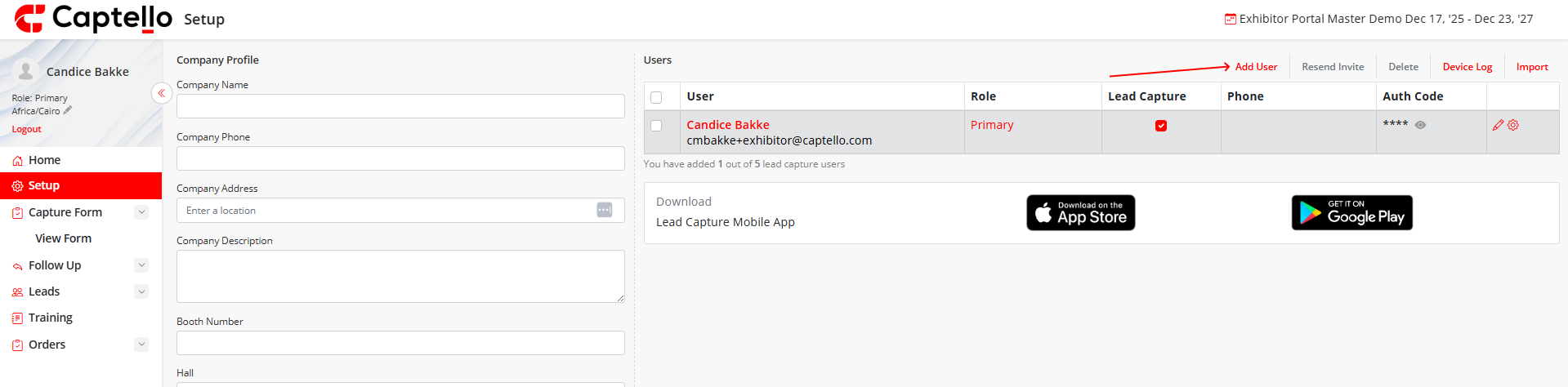
Enter the user's First Name, Last Name, and Email address.
Select a Role for the user (see below).
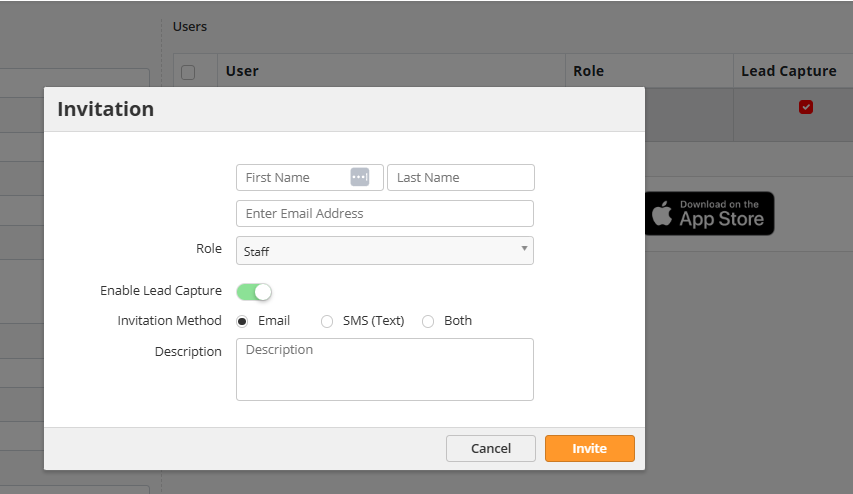
Toggle Enable Lead Capture on if the user needs mobile app access. Choose an invitation method (Email, SMS, or Both) and click Invite.
User Roles
Primary: Full web portal + mobile app. Can add/manage users and transfer the primary role.
Admin: Same as Primary, except cannot replace the primary user.
Staff: Mobile app only. Logs in with email + authentication code. No web portal access.
Reporting: Web portal access limited to the Reports page only.
Tip
If you've reached your user license limit, you may be able to purchase additional licenses depending on your event organizer's settings.