I can't log in to the Captello app — what do I do?
Last updated: April 7, 2026
How you log in depends on your user role.
Primary / Admin users: Log in via the web portal using your email and password. If recently promoted to Admin, check your email for a password-reset link.
Staff users: You do not have web portal access. Open the Captello mobile app and log in with your email address and the authentication code provided by your primary user.
Note
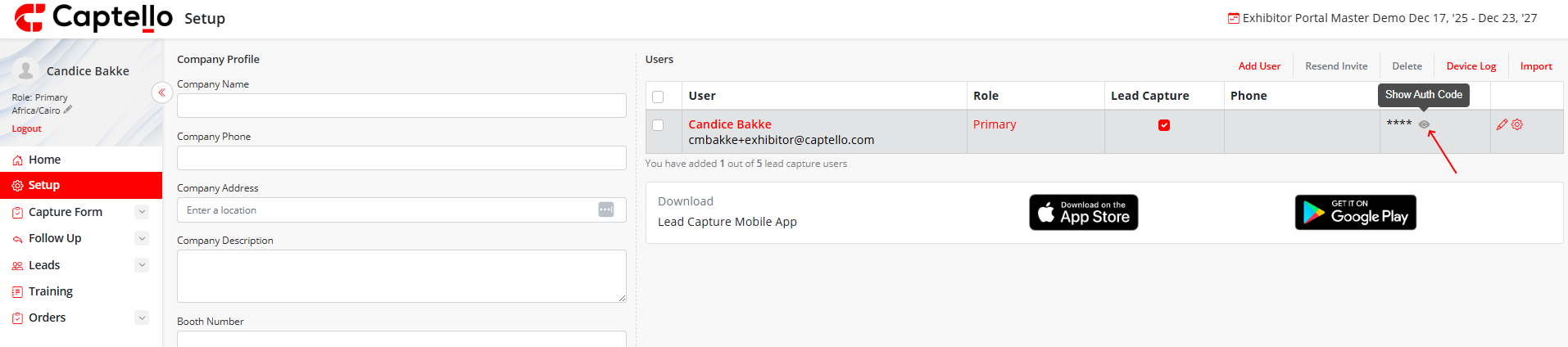
Can't find your auth code? Ask your Primary user to go to Setup > Users and resend your invitation or share your authentication code. Confirm that Lead Capture is enabled on your account.
Tip
Still stuck? Contact Captello Support at +1 (888) 399-6430 x 333 or send an email from the Training page in the portal.