How to send emails on-demand for event leads (Bulk Actions)
Last updated: September 11, 2026
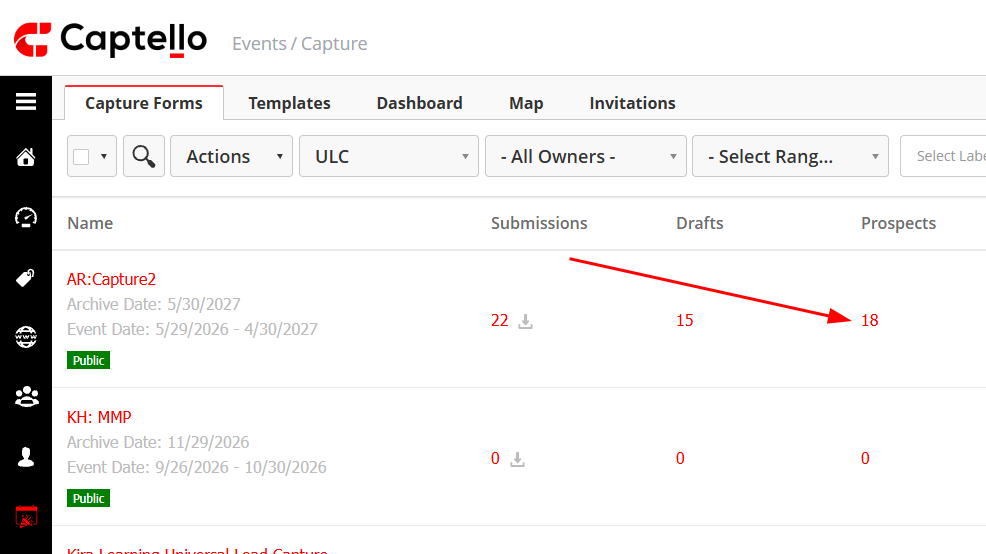
Click the number of prospects on a capture form.
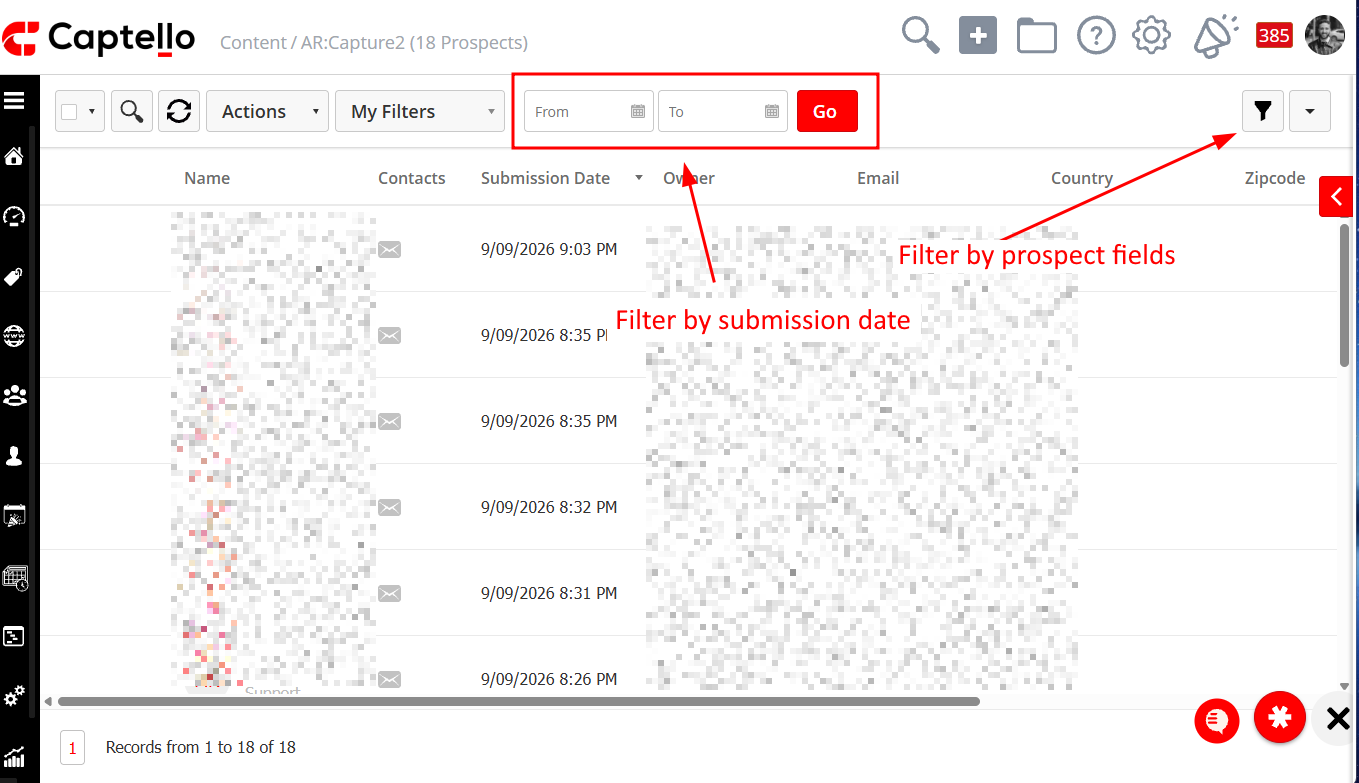
Apply filters as needed
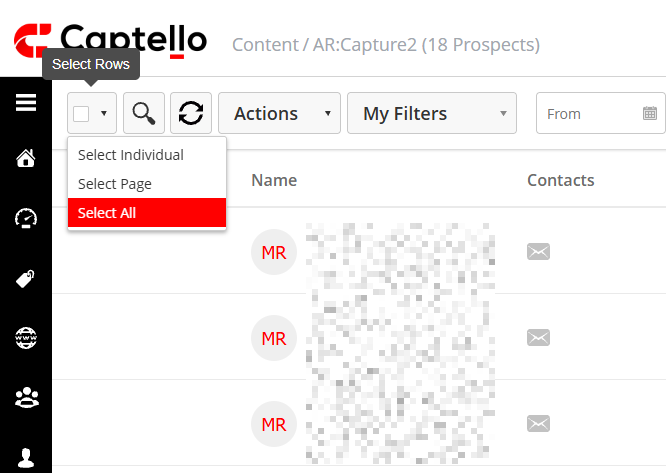
Use the selection box to make the desired selection (page, individual or all)
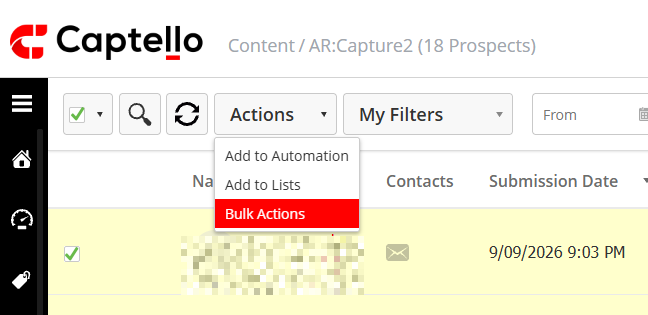
Click on 'Actions' and then 'Bulk Actions'
Name the action (this is just for logging reasons) and click 'Save'
Select the 'Send Email' action and add your configuration

Click 'Next' and then 'Activate' to send the email.