ULC AI Transformation
Last updated: May 13, 2026
Overview
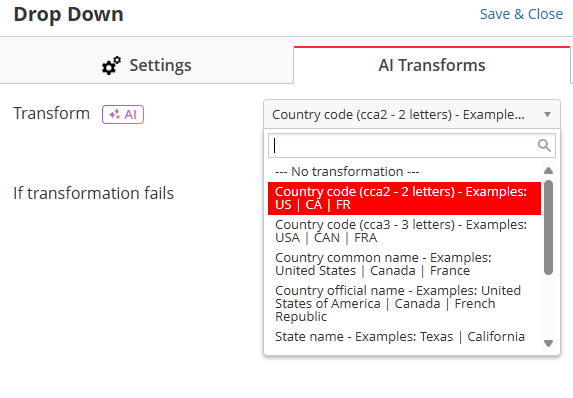
The AI Transformation feature allows you to strandardize Country, State, Zipcode and Phone values, providing a list of formats to select from.
For example, if you select 2-letter-ISO country names, which will convert country names from all formats (full name, 3-letter ISO and official name) to 2-letter-ISO. That means if country comes as w "United States", "United States of America", "USA" it converts to "US".
Note: AI Transformation also helps with state code conflicts. For example, if the state comes as “WA”, it will transform the full name to be “Washington” if the country is USA, or to “Western Australia” if country is Australia.
Capture Form Setup
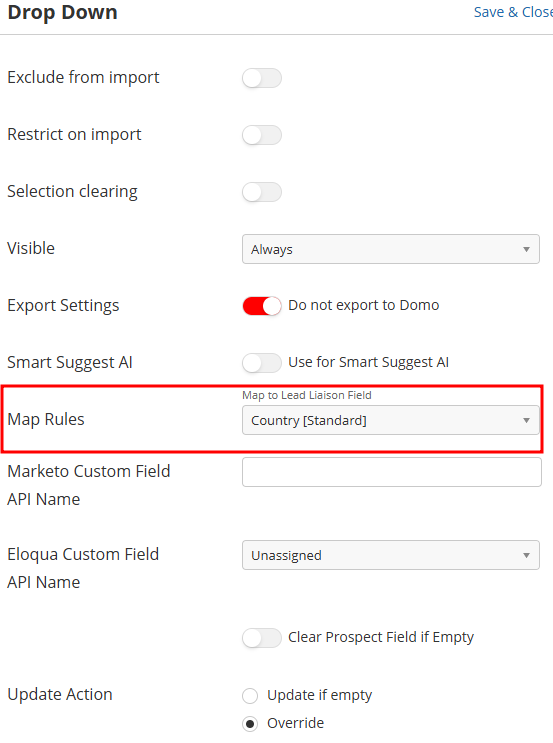
1- Create a field (Drop-Down is recommended for country and state, and Single Line Text is recommended for Zipcodes, and Phone fields are recommended for phones)
2- Edit the field and click 'AI Transformation' from top right of the screen.
3- Select the format that you want the end result to look like.
4- Make sure the field is mapped (this is for the scanners/lists to pull the data to these fields.