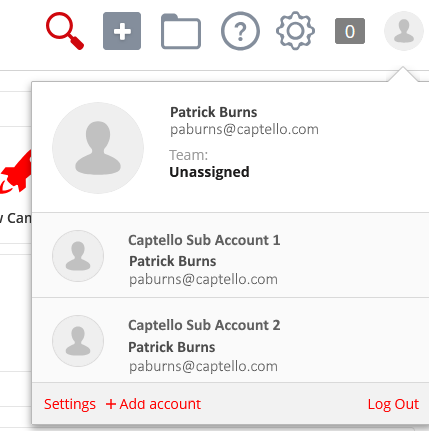
How to Connect Users to Switch Between Sub Accounts
Last updated: July 24, 2026
Captello allows you to connect your users across sub accounts so you can easily switch between them.
To do that follow the steps below:
Create users on your sub accounts
The usernames must be different you can add an identifier at the end such as
'user-subacc1@company.com'
Navigate back to the parent account
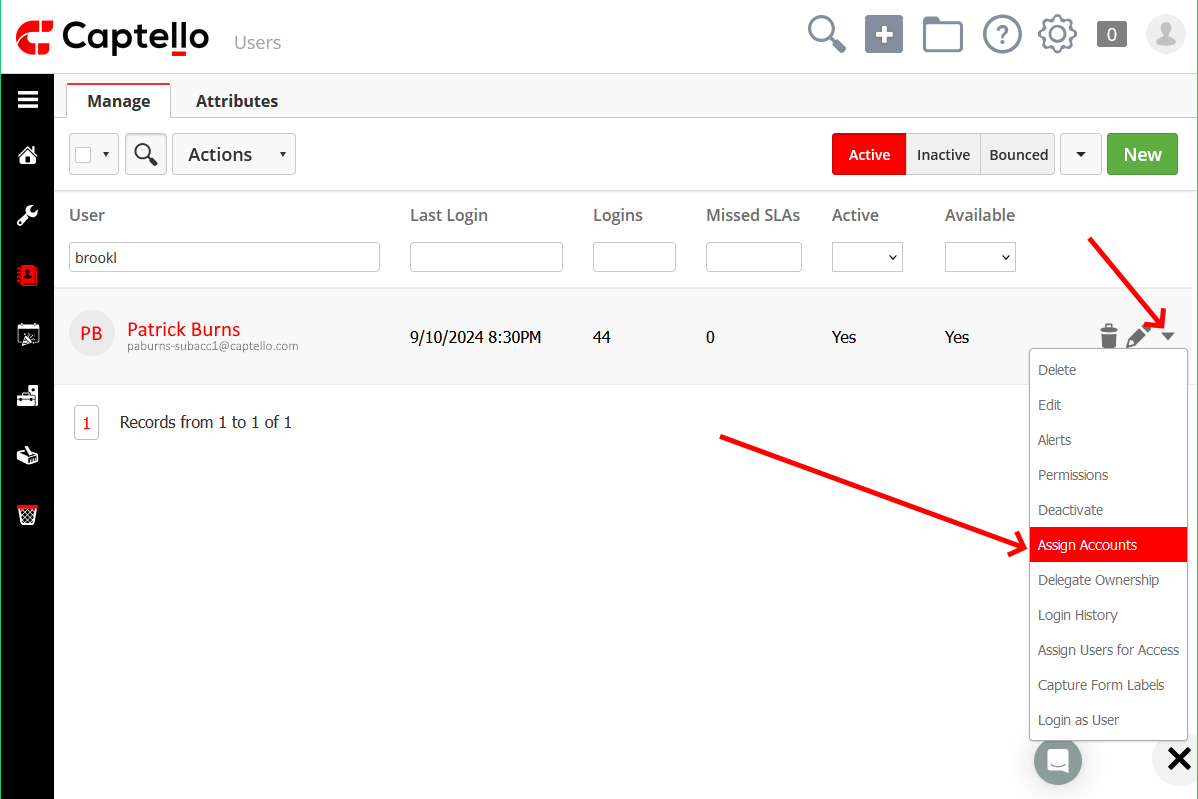
Navigate to Setup > Users > All Users and locate the user
Click on the user's drop-down and click Assign Accounts
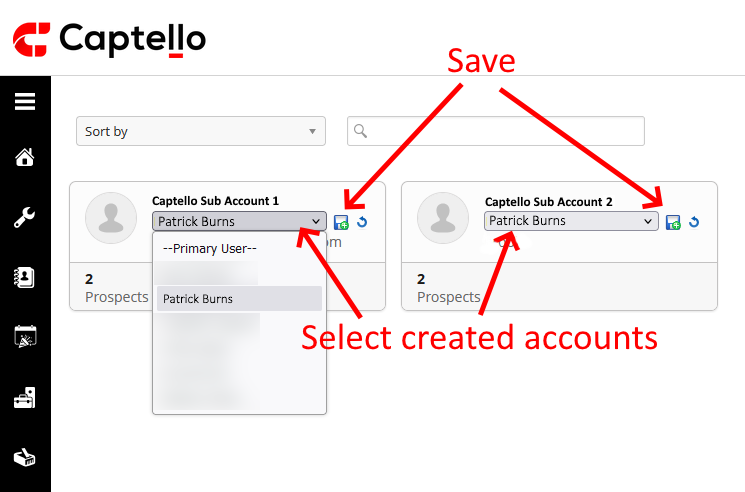
Select their new accounts from the drop-down and click the little save button.
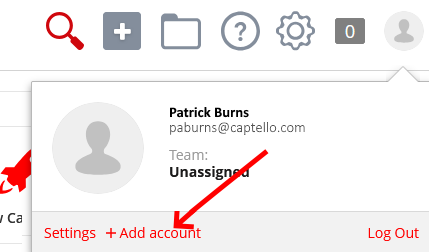
After that is a step that must be done by the person (or you can login as them and do it).
The person (or an admin logged in as them) must click their profile picture and click Add account.
Star the accounts so they show when you click the profile picture.
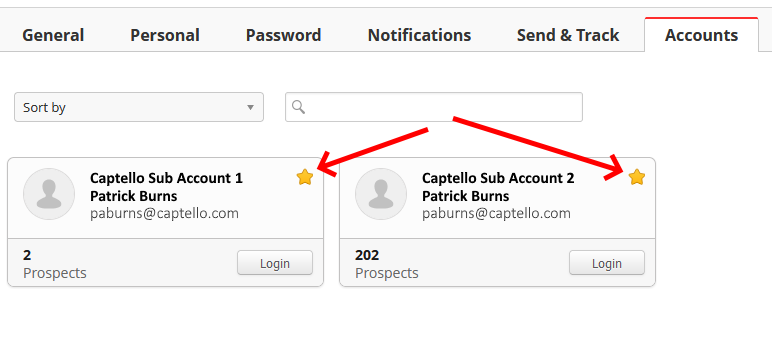
The user is now set up to switch between accounts by clicking on their profile picture!