How to create a template and use it in a capture form?
Last updated: January 1, 2026
If you have an existing form with all of the settings and questions that you use constantly, you can create a template from that form.
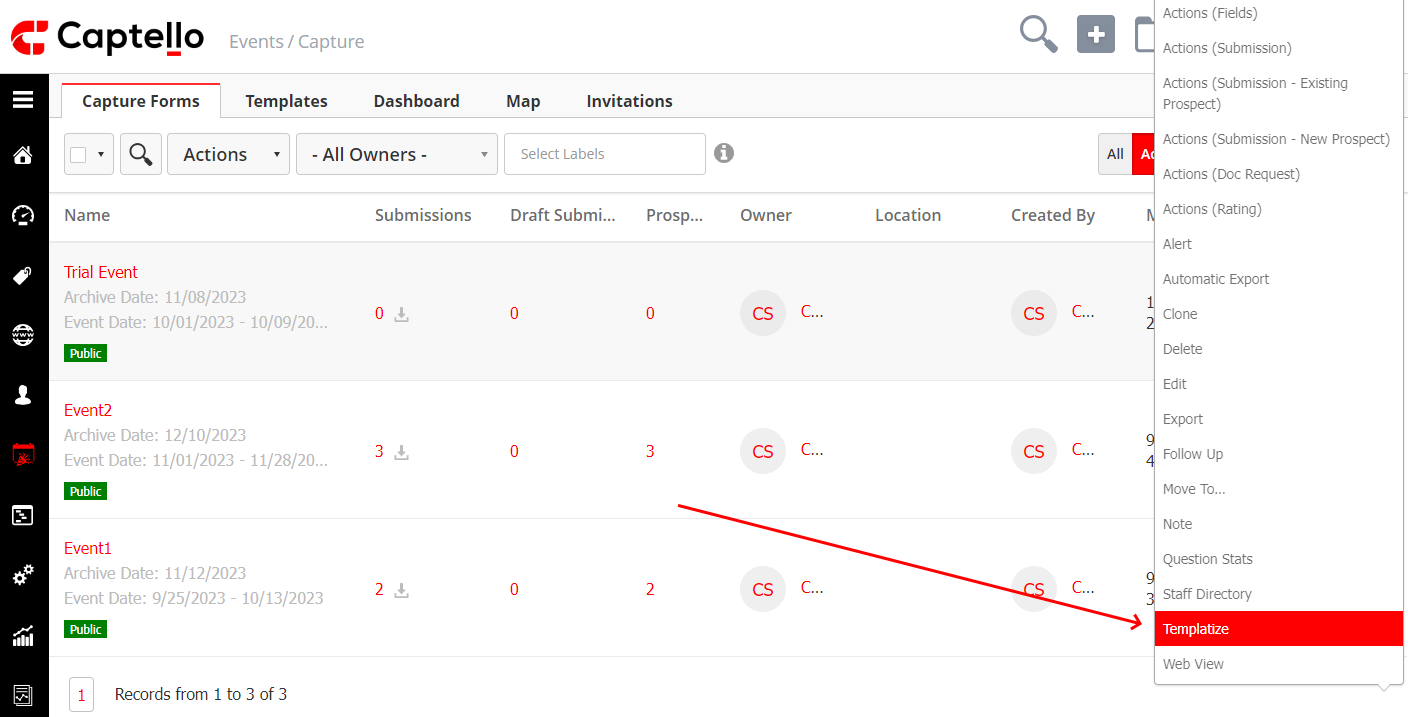
Go to Events > Capture and click on the drop-down on the right of the event/form and then click on Templatize as shown:
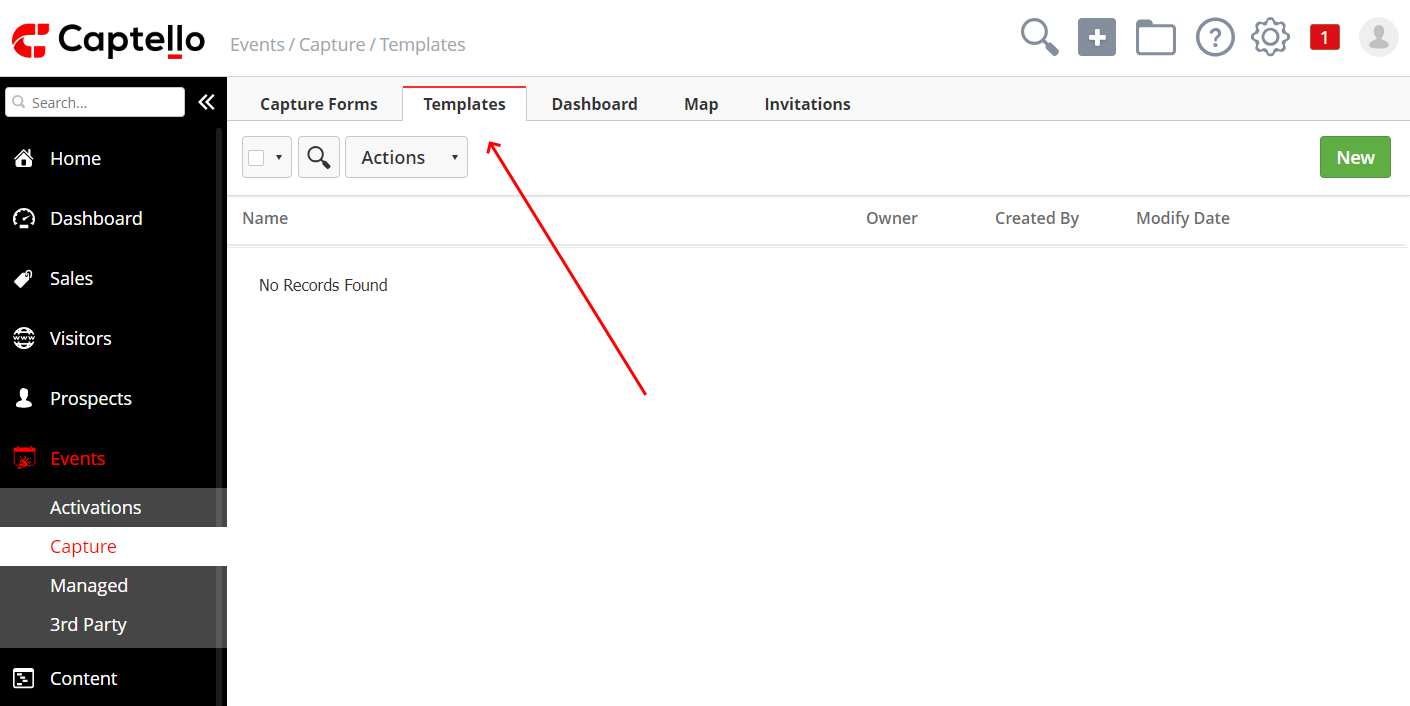
If you do not have an existing form set up, You can create a template by navigating to Events > Capture > Templates as shown:
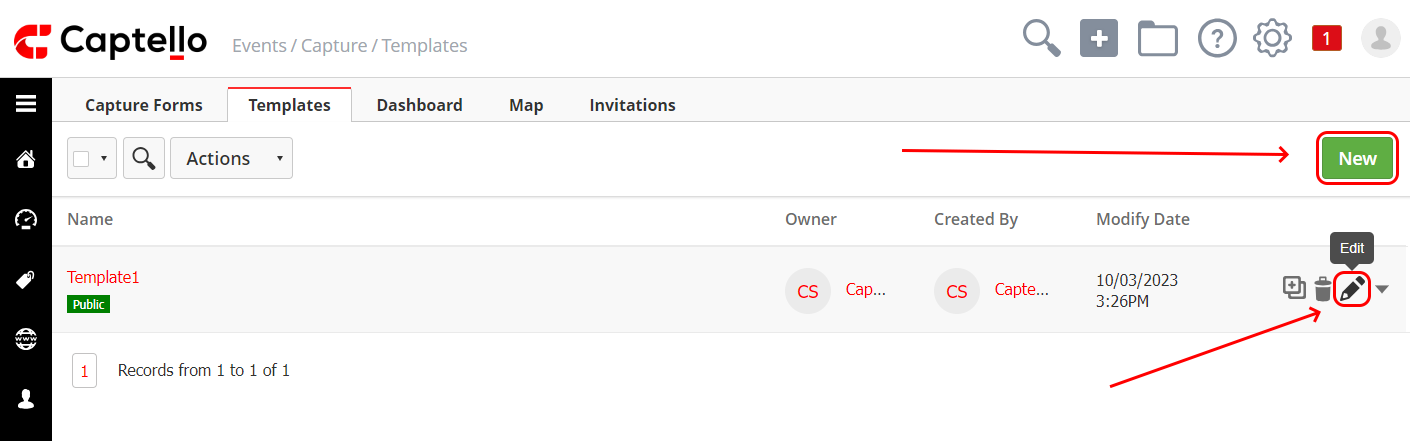
Then click on New to create a new template or click on the Edit icon text to an existing template. Build the template as desired, and once you are done, click Save & Exit to save the template for future reference.
In order to use the template to build a capture form, click on the Capture Forms tab or click on Events > Capture and then click on New as shown:
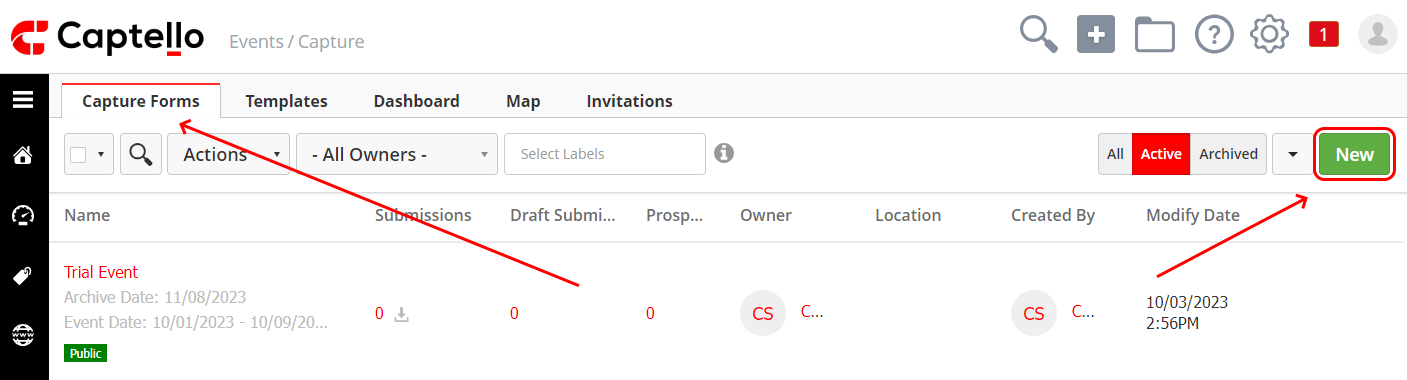
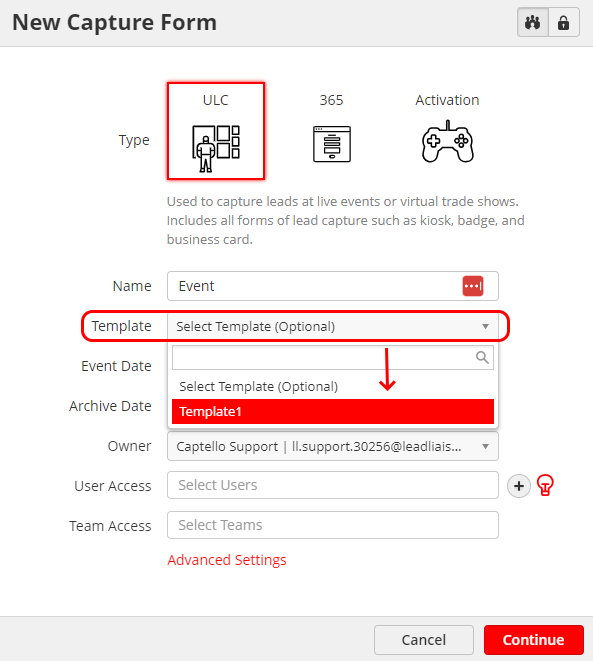
Then choose the created template from the Template drop-down menu. You can edit, remove, or make any changes to the form while keeping the template will stay unchanged.
Here is a short video tutorial about templates: