How do I See my Newsletter Stats?
Last updated: March 31, 2026
To see your Newsletter stats:
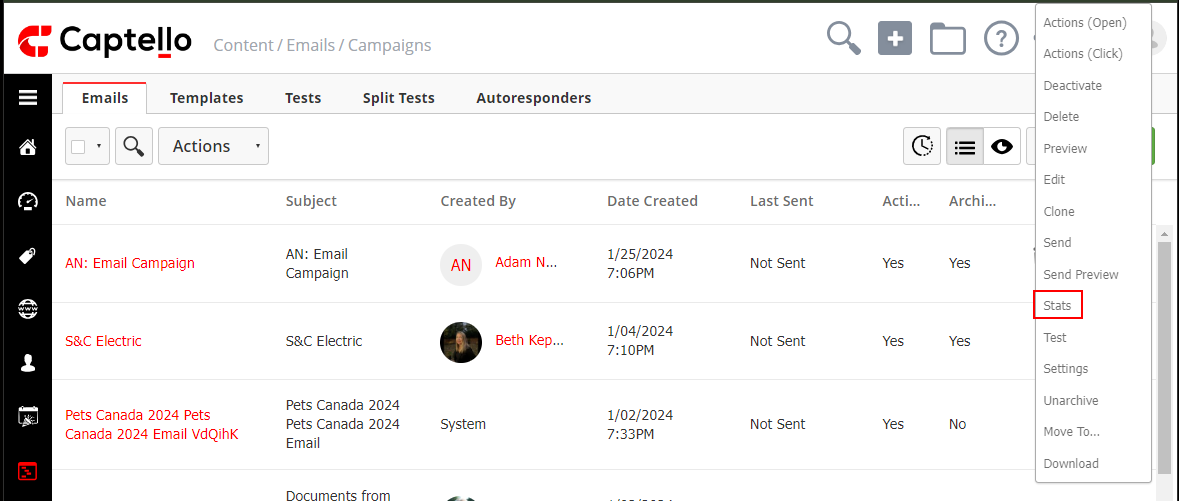
Navigate to Content > Emails > click on the drop-down arrow of the desired campaign > select Stats.
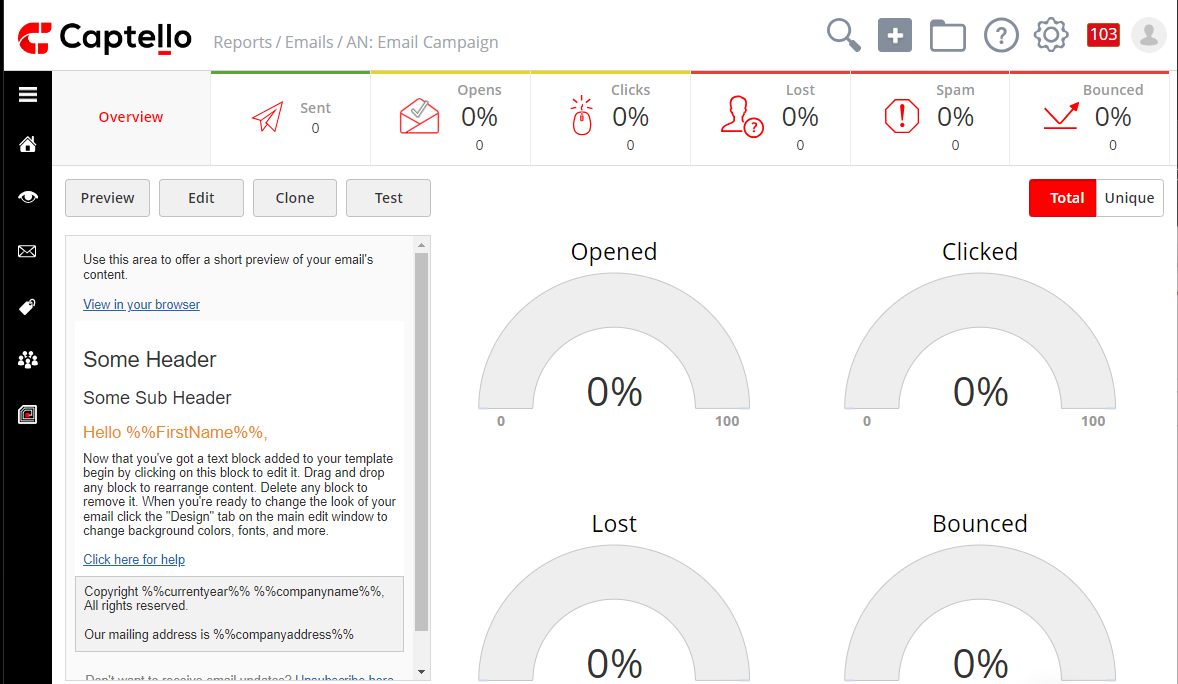
A dashboard that shows you the stats of your email will open up as shown:
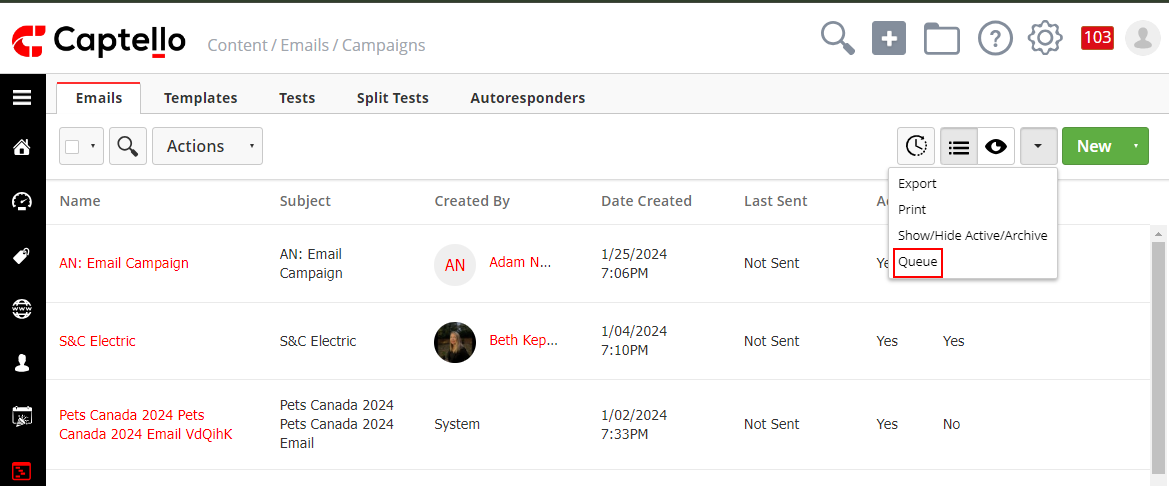
Moreover, you can access the queue of active campaigns.
To do that, click the drop-down arrow from the top right corner > select Queue.
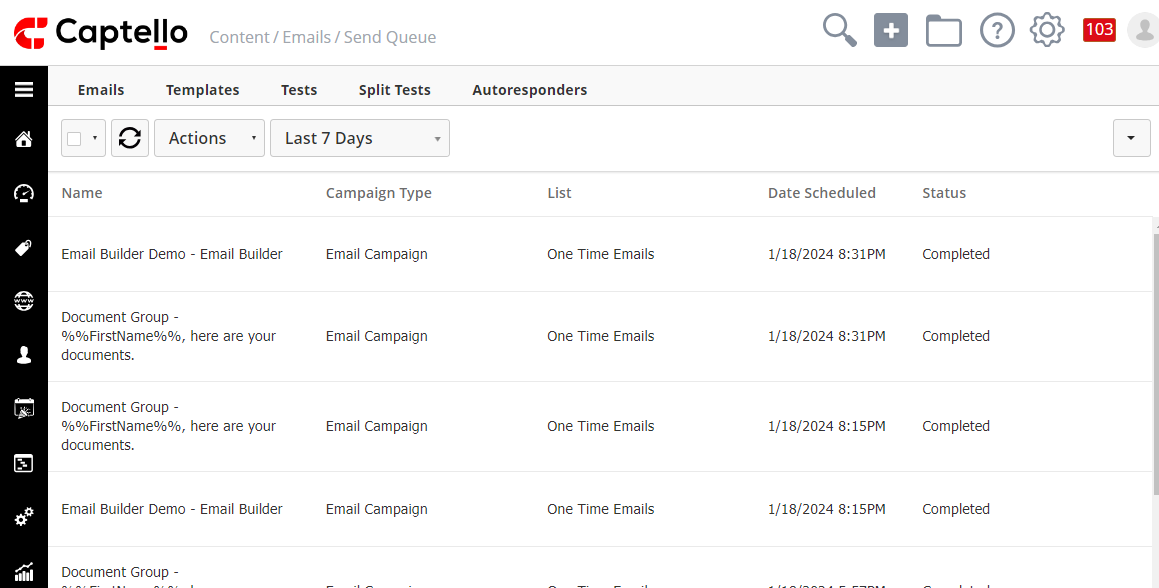
The status of each campaign will be shown, and you also can filter them by timeframe.