Swapcard: Embed Captello Surveys as Live Content
Last updated: January 1, 2026
Captello Smart Surveys can be embedded as live interactions in sessions. To do that, follow the steps below:
[Optional, if you want the survey to prefill information] Add the URL parameters to the survey’s web-view link
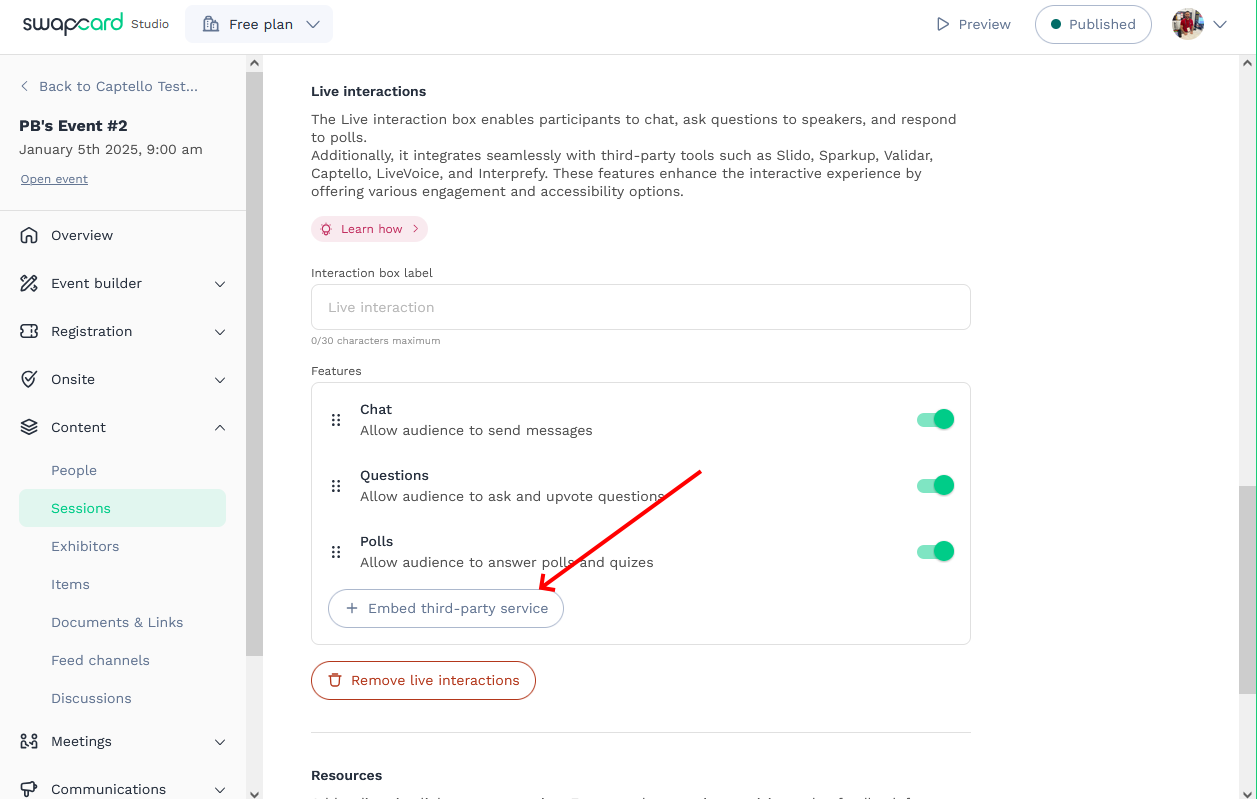
A new third-party service in your session’s live interaction is needed. Click ‘Embed third-party service’.
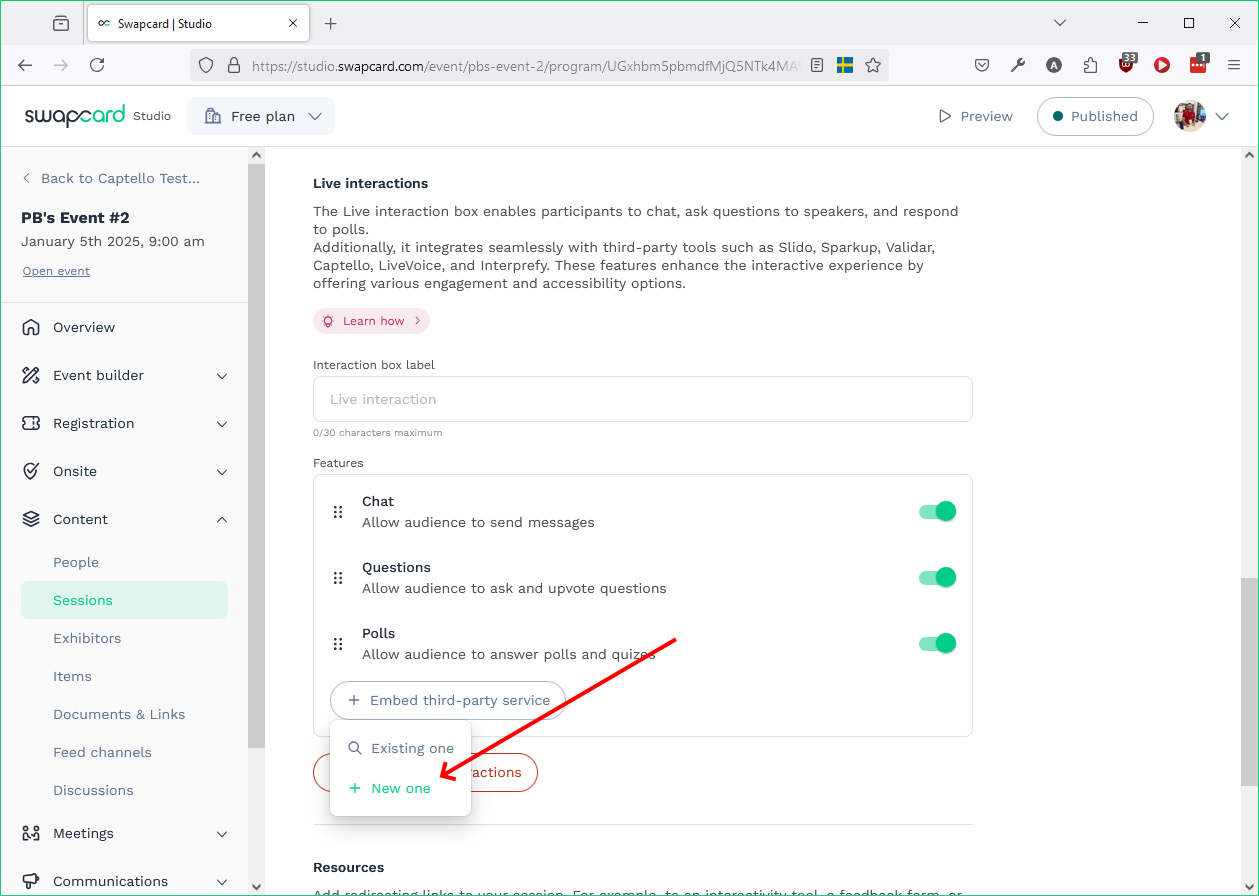
Click ‘New one’.
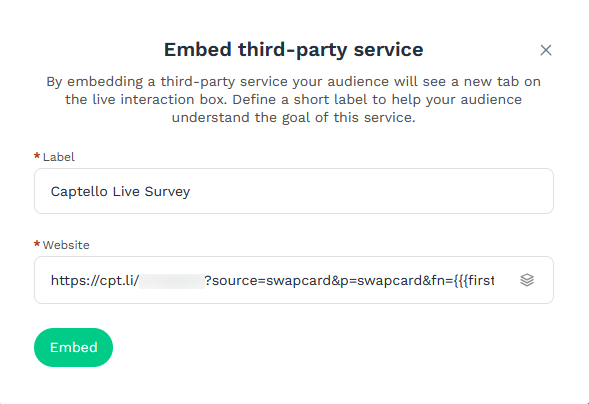
Add a label, then add the survey’s web-view link in the website field, then
click 'Embed'.
The survey is now added as live content in the session!