Can I Add a Condition to the Visibility of a Field?
Last updated: January 1, 2026
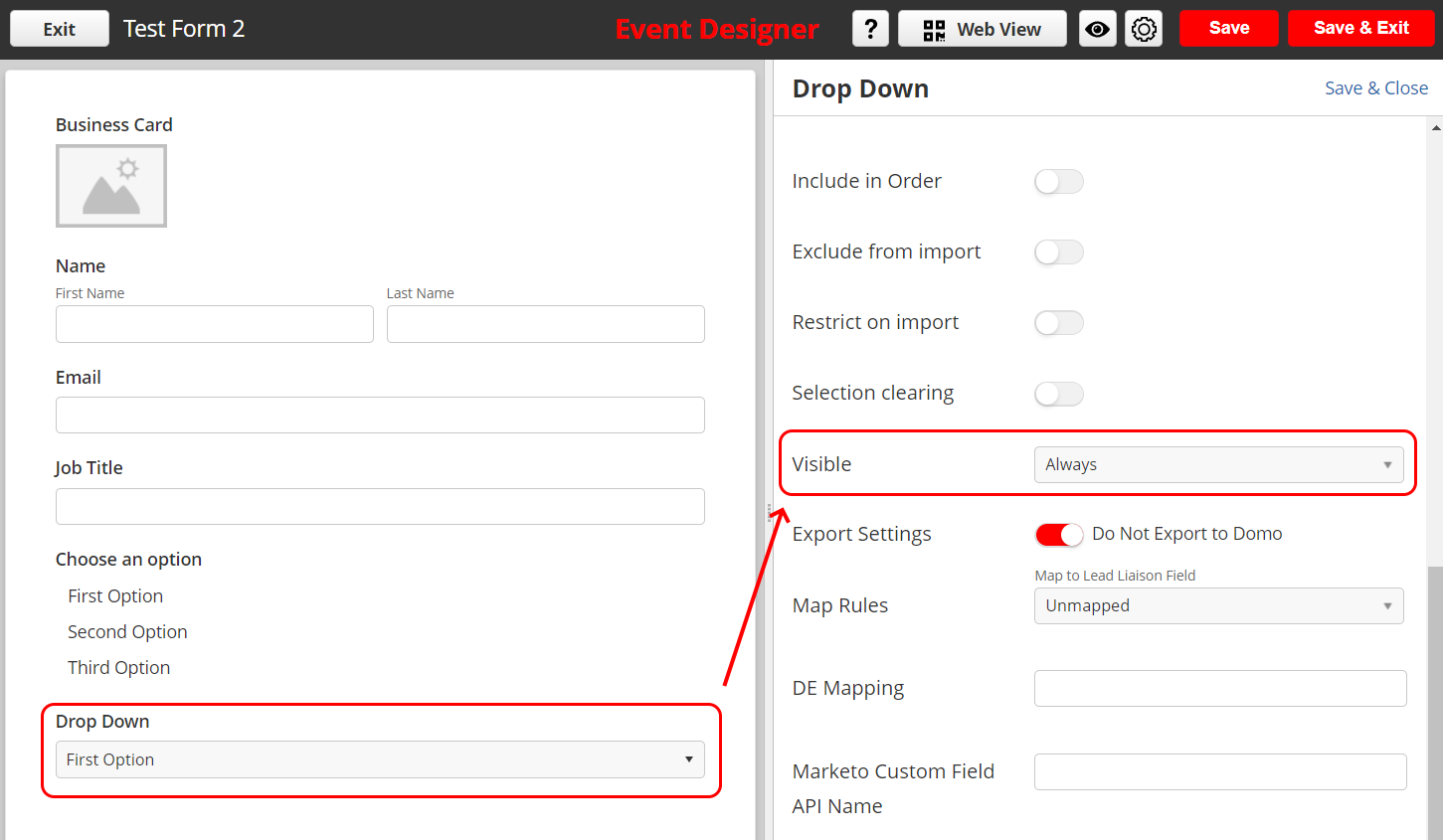
Go to the intended field and click on the Edit icon as shown:
Scroll down to Visible and choose Only When.
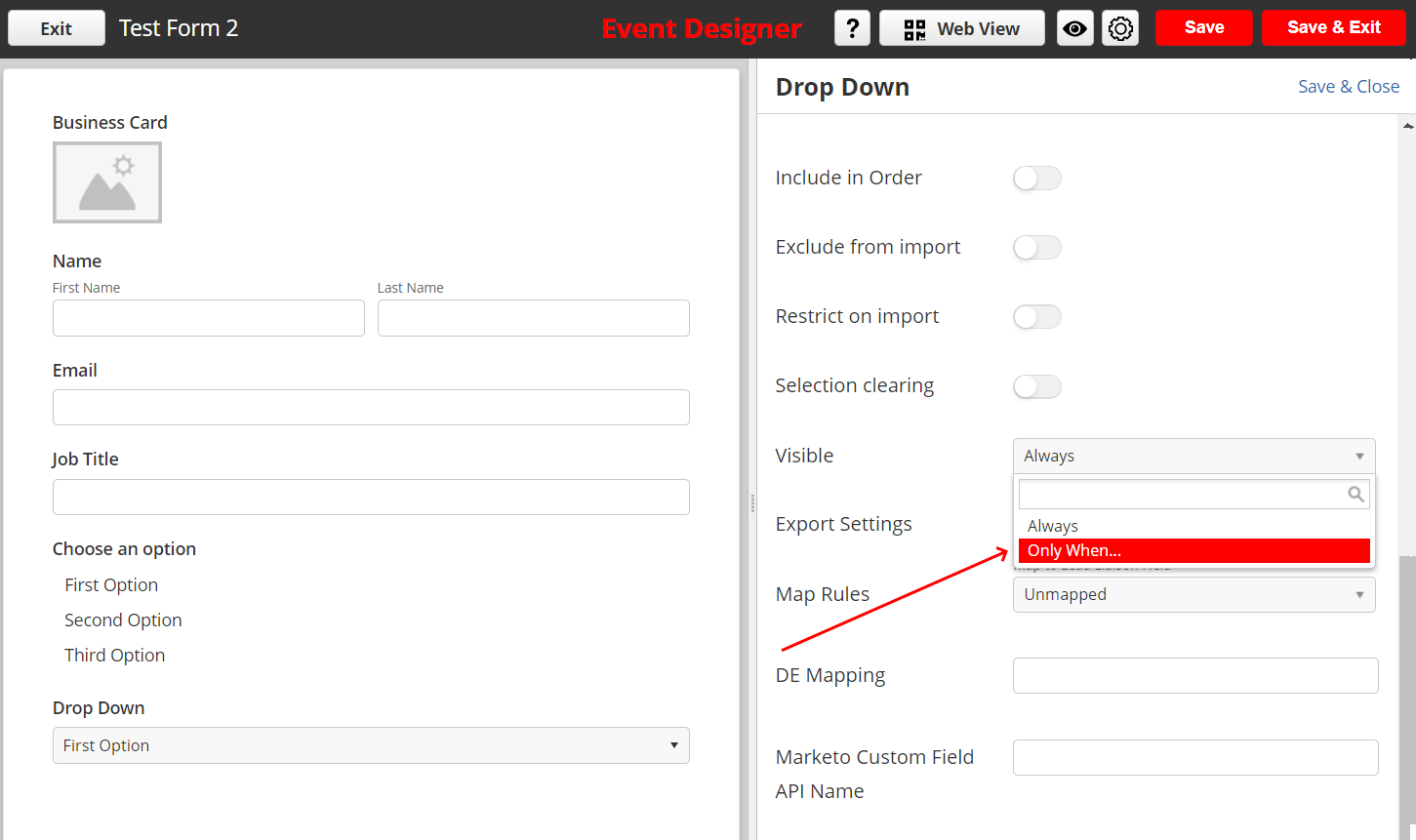
Choose Set Rule and choose the condition.
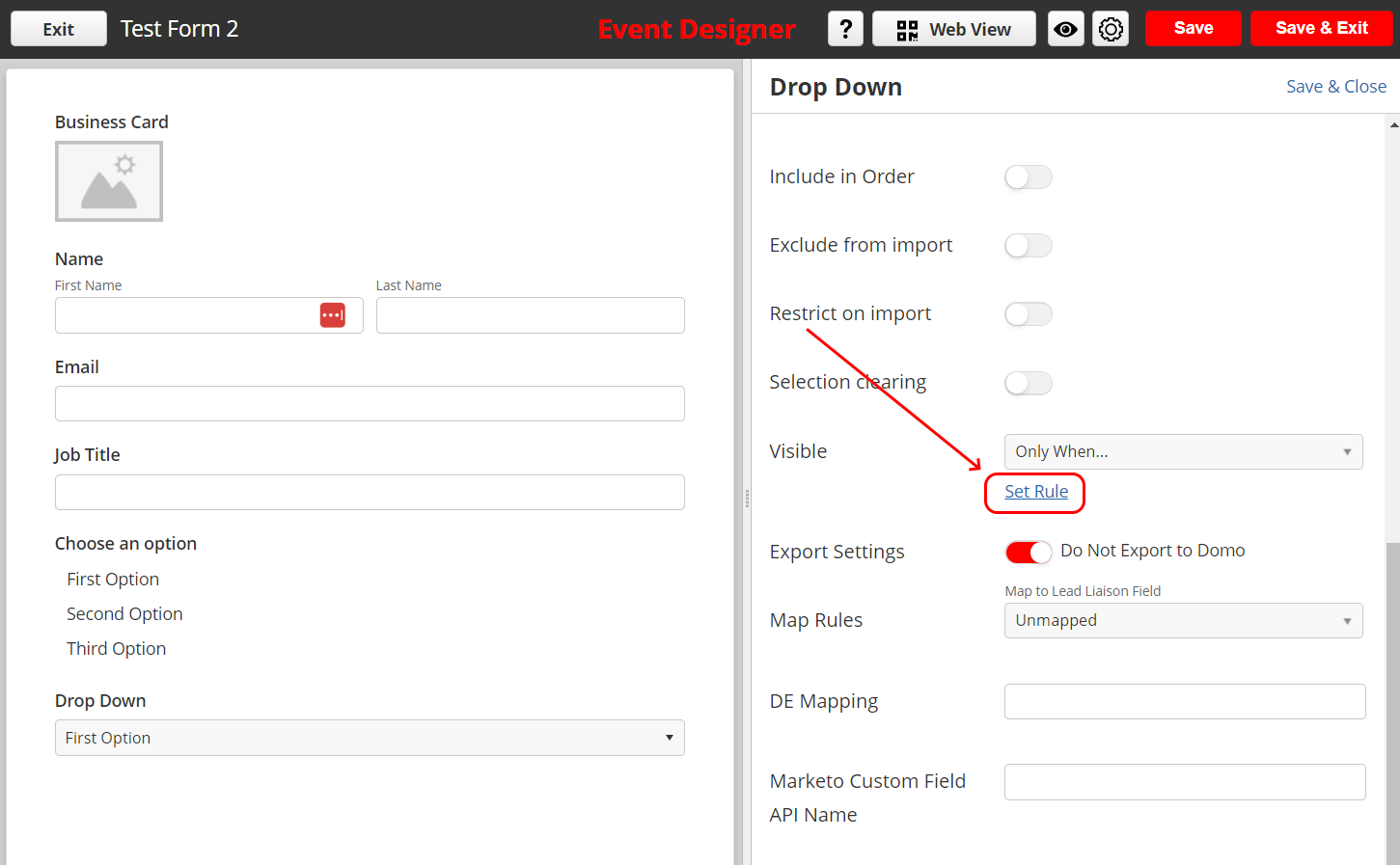
In this example, when the 'Choose an option' field is 'Equals' the 'First Option'. Then the Dropdown field will be visible.
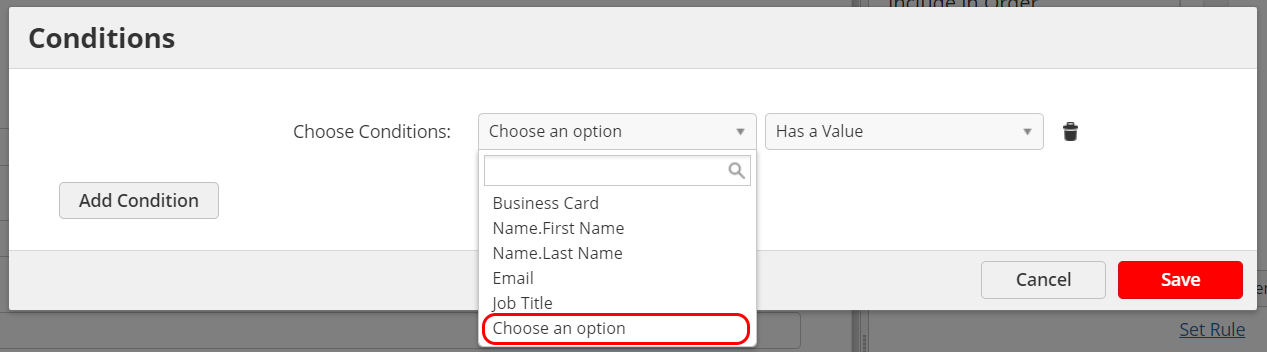
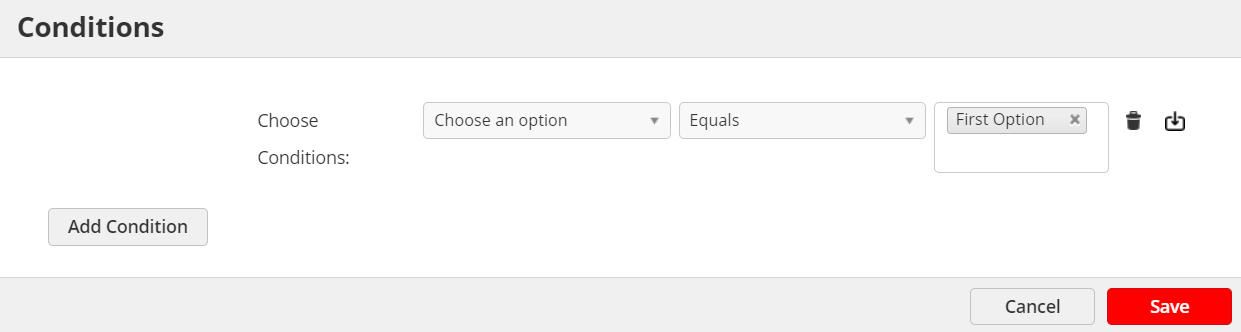
Then Click Save.
Once the rule is set, the dropdown field will only be displayed when the Multi-select field 'Choose an option' has a value of 'First option' chosen.