Can I scan business cards with the mobile app?
Last updated: January 1, 2026
Yes, you can use the business card feature in the (form/capture form) to scan business cards at an event.
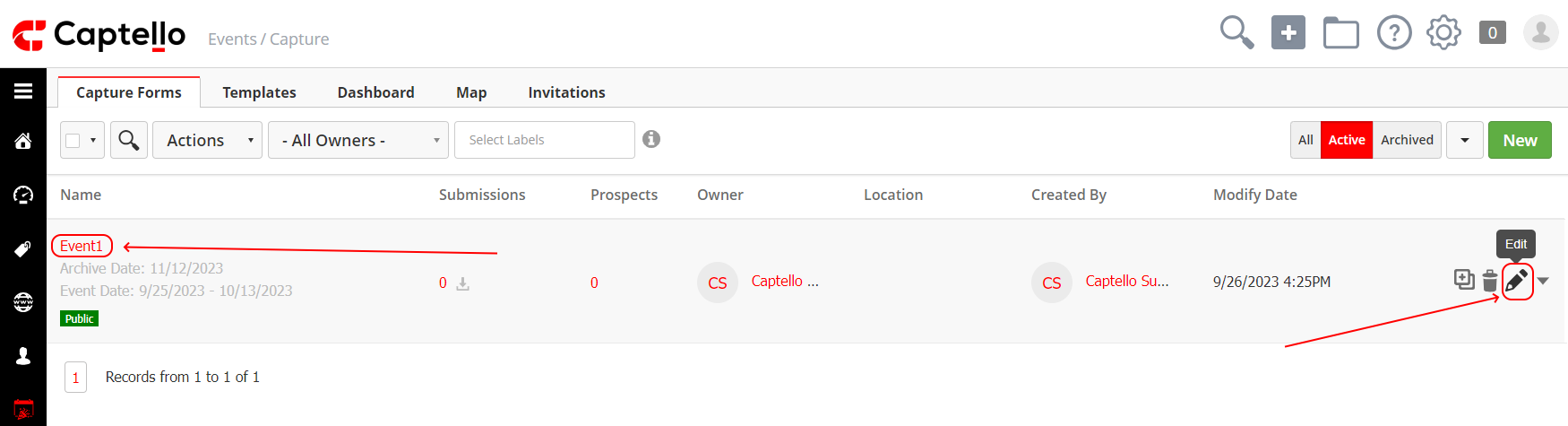
In order to use it, go to 'Events' > 'Capture' and click on the name of the form or click on the 'Edit' icon to the left of the form to go to the Event Designer
Then drag and drop the business card field in the form as shown:
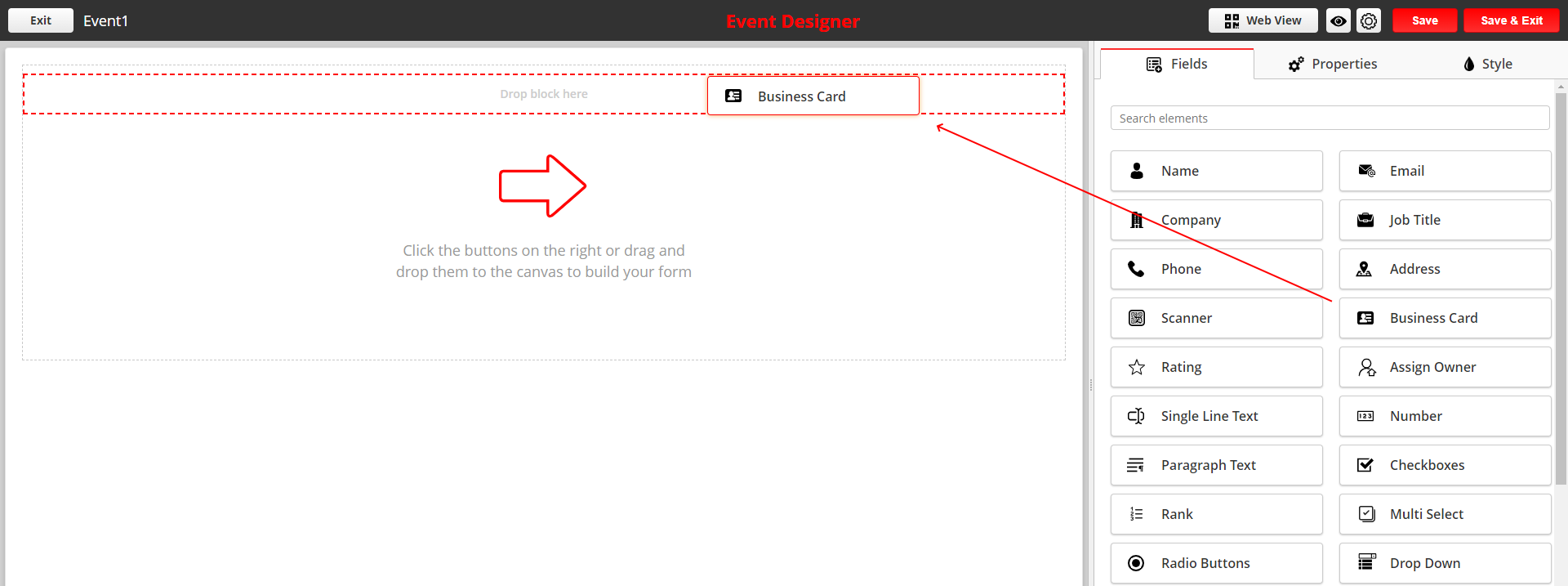
And add the related fields to be captured from the business card such as the name, email, company, address, etc.