How do I make sure my users only see the prospects that they own?
Last updated: January 1, 2026
In order to do this, you'd need to disable the View Prospects Not Owned by Logged in User option found under the Users > Security Profiles menu:
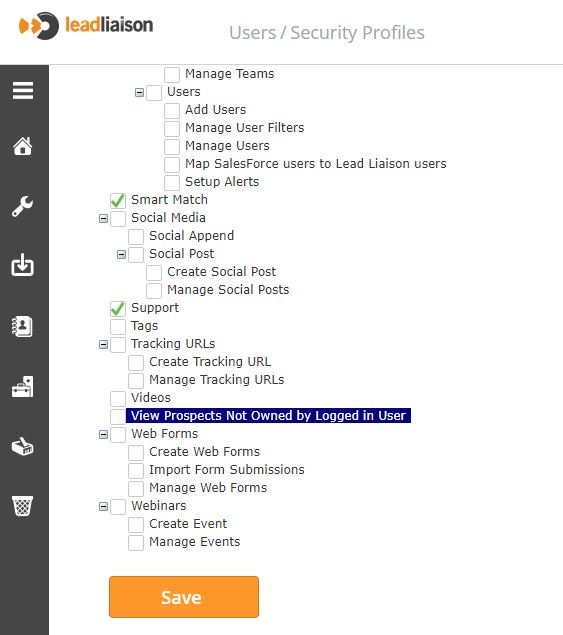
For example, if a user is linked to SALES then you can just edit the Sales security profile and uncheck the option as shown in above screenshot.
Learn more about Security Profiles here.