How to Create a Customized QR Code?
Last updated: January 1, 2026
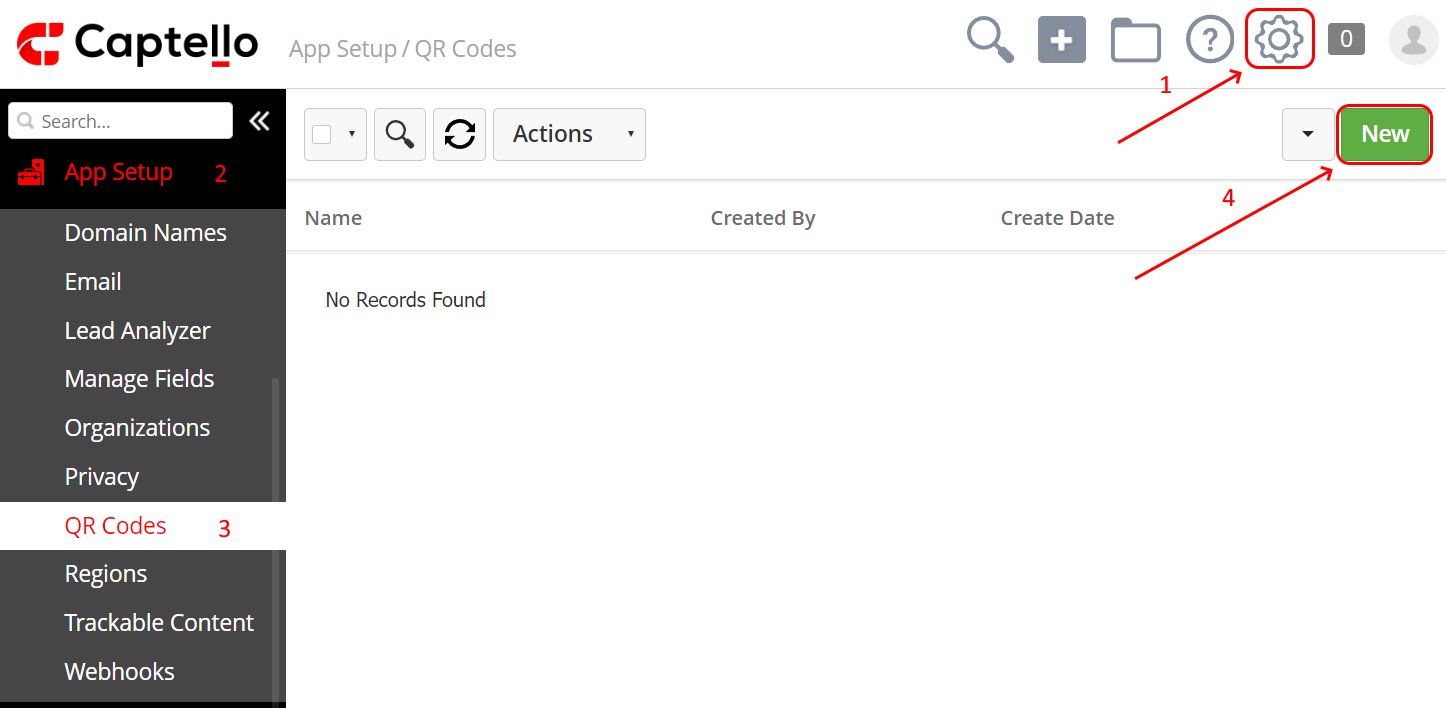
To create a QR code, go to Setup > App Setup > QR Codes and then click on New as shown:
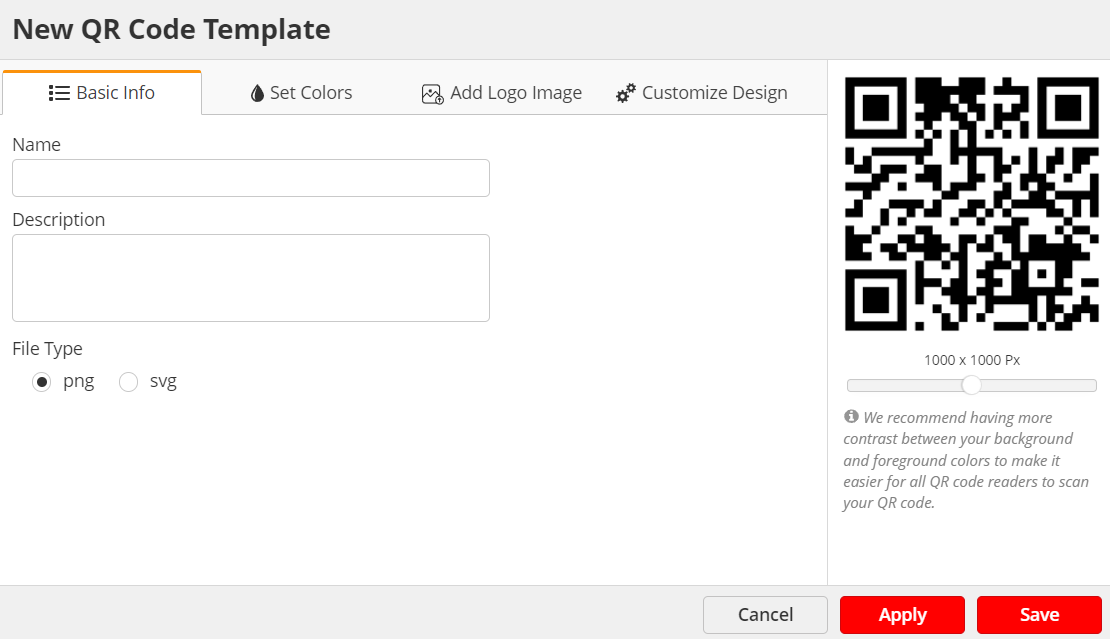
Choose a name for the QR code, customize the QR code, click Apply to reflect the changes, and then Click Save.